

As part of Microsoft’s Secure Future Initiative (SFI), significant security enhancements are being introduced for Exchange Server hybrid deployments. These updates focus on strengthening trust between on-premises Exchange servers and Exchange Online — especially for environments leveraging rich coexistence features such as free/busy lookup, MailTips, and profile picture sharing.
This post summarizes the key changes and outlines what organizations need to do to remain compliant and secure.
Dedicated Hybrid Application in Entra ID
Microsoft is transitioning away from the traditional shared service principal used in hybrid configurations. The new model introduces a dedicated Exchange Hybrid application within each tenant’s Entra ID
- A dedicated Exchange Hybrid application will be automatically created for each tenant.
- The dedicated app enhances security by isolating your hybrid trust from other tenants.
- Available starting with the April 2025 (HU) update.
- By October 2025, using the dedicated hybrid app becomes mandatory for hybrid features such as free/busy sharing.
Configure the Dedicated Hybrid Application
To configure the dedicated Exchange Hybrid app:
- Install the April 2025 HU (or later) update on your Exchange server.
- Run the ConfigureExchangeHybridApplication.ps1 script.
- Download the script from the official Microsoft site: ConfigureExchangeHybridApplication – Microsoft CSS-Exchange.
- Copy the script to the Exchange Hybrid-configured server.
- Open Exchange PowerShell with administrative privileges.
- Navigate to the script path and execute the script.

The script will execute and ask confirmation, Press A (Yes to All)
It will ask the Global Admin Credentials to register the app
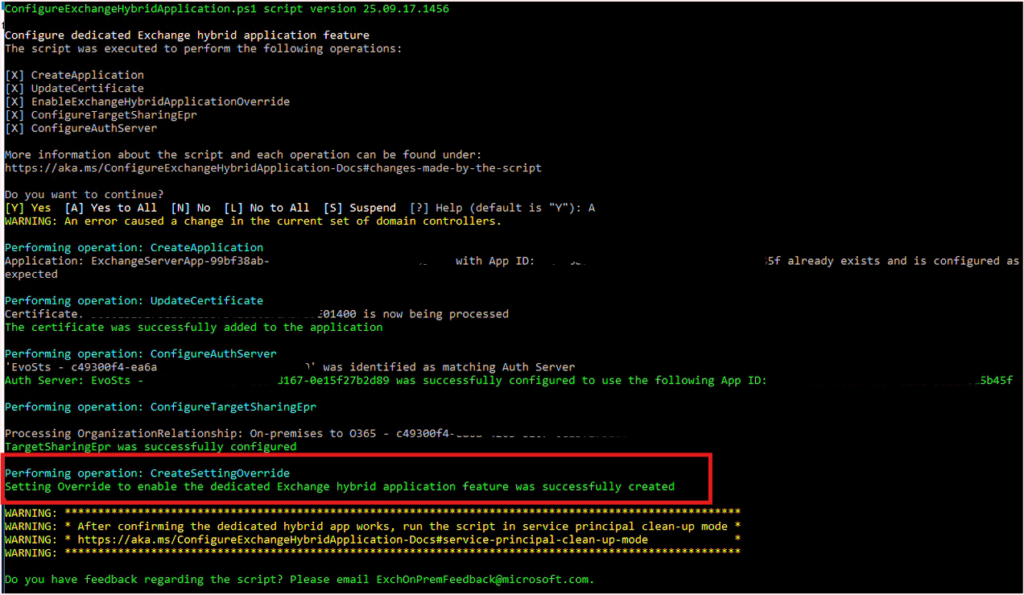
Run the below command to reset the Service Principle Key
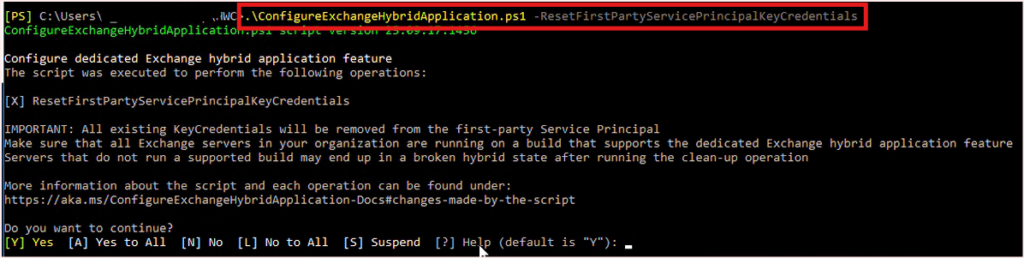
The script will execute and ask confirmation, Press A (Yes to All), it will ask Global Admin credential.
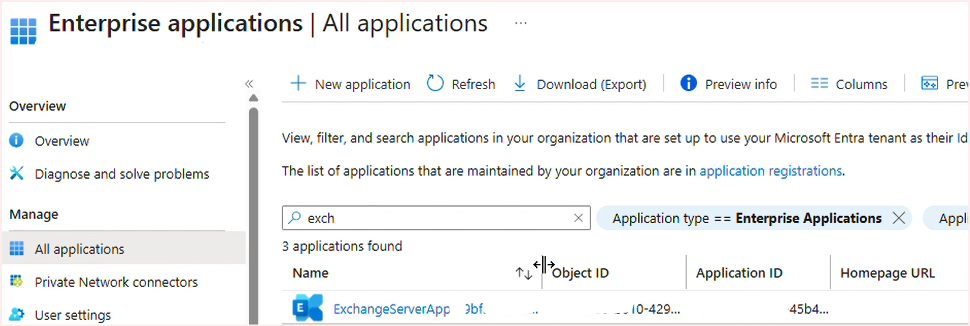
Once the task completed, Exchange Server App will be visible in the Entra Enterprise Applications.
If getting the error for ‘Auth Server’ related, then re-run the Hybrid Wizard. Like below
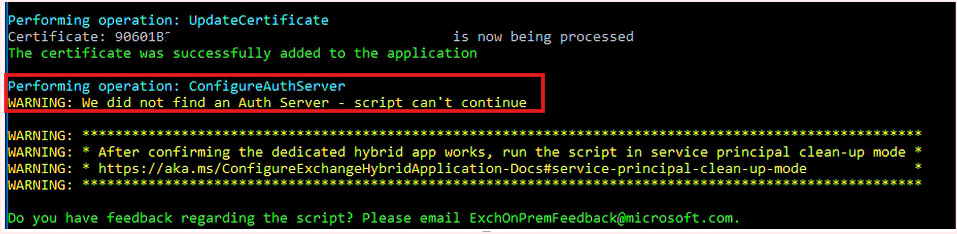
Download latest HCW from https://aka.ms/HybridWizard
Run the HCW and select the full option and select only “Oauth, Intra Organization Connector and Organization Relationship”
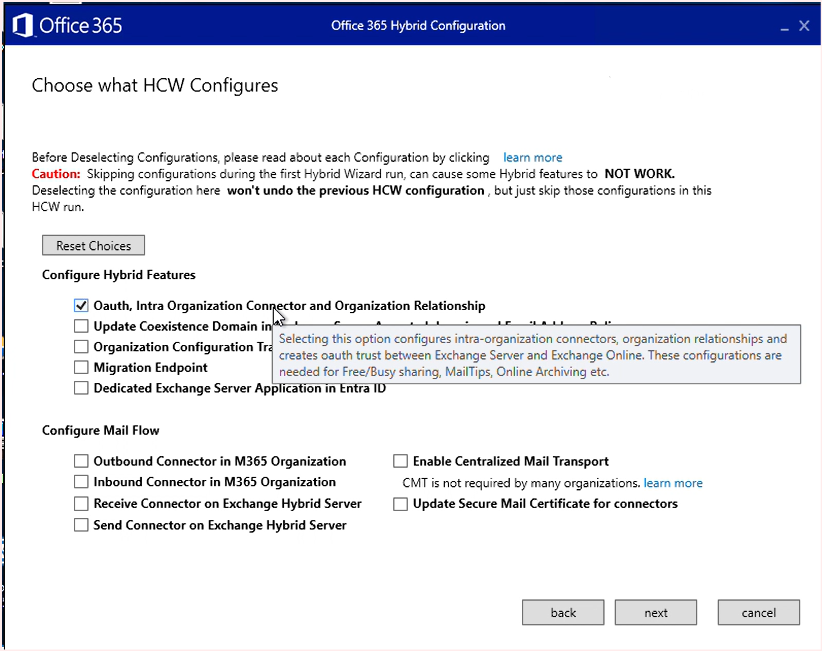
Once HCW completed, Run the ConfigureExchangeHybridApplication.ps1 (follow above steps)